Send a clear, professional quote
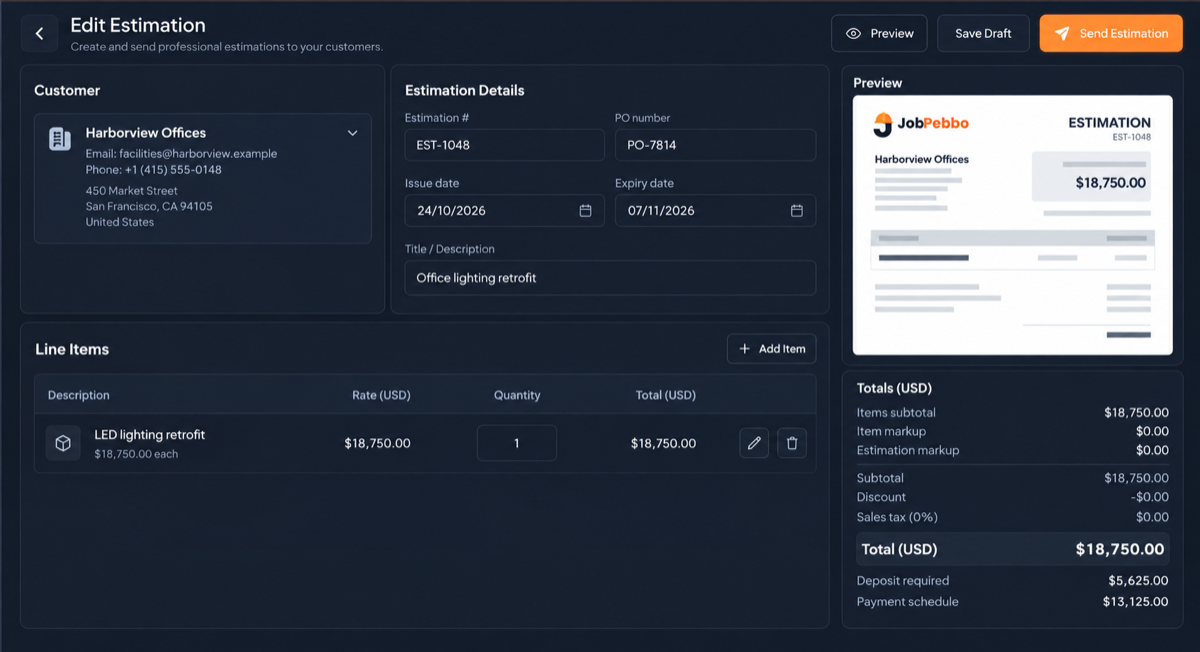
Add estimate and PO numbers, issue and expiry dates, customer details and terms. The live preview shows the document as you work.

Estimates & quotes
Build a detailed estimate, preview it live and give your customer a simple path to approval.
What you can do
Add estimate and PO numbers, issue and expiry dates, customer details and terms. The live preview shows the document as you work.
A private link lets your customer view, download, print and approve the estimate. Approval updates the status automatically.
Every send creates a saved version, so the estimate history keeps the exact document your customer received.
Good to know
Yes. They can approve an estimate from its private online link with one click.
You can add a fixed or percentage deposit and set a payment schedule.
Yes. Estimate statuses such as Pending, Approved and Rejected are customisable.
Free to use
From the first quote to the final payment, keep your jobs and paperwork together.